

Blog
How to Reset Bluetooth Headphones: Complete 2026 Guide (All Brands)

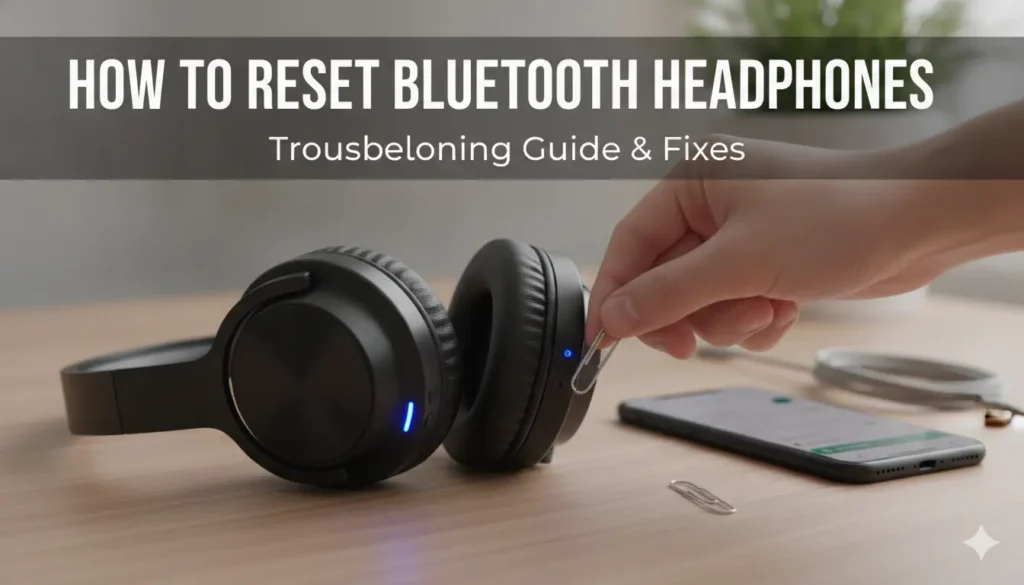
If your Bluetooth headphones suddenly stop connecting, refuse to pair with a new phone, only play sound in one ear, or keep dropping the connection — you are not alone. These are the most common Bluetooth headphone problems, and the good news is that the vast majority of them are fixed by a single simple action: a reset.
Resetting Bluetooth headphones clears their memory of paired devices, wipes any corrupted connection data, and restores them to a clean factory state — almost always solving pairing failures, one-sided audio, and connection drops without any need for repair. Whether you own budget Hoco headphones, premium Anker Soundcore noise cancelling headphones, JBL, Baseus, QCY, Edifier, or any other brand, this complete 2026 guide walks you through exactly how to reset your headphones, with brand-specific steps and fixes for every common problem.
Most of the headphones referenced in this guide are available at Marshmallow Tech — and if your current pair is beyond saving, you will find genuine replacements with warranty support and nationwide delivery across Bangladesh.
Table of Contents
- When Should You Reset Your Bluetooth Headphones?
- The Universal Bluetooth Headphone Reset Method
- How to Reset Hoco Headphones
- How to Reset Anker Soundcore Headphones
- How to Reset JBL Headphones
- How to Reset Baseus Bowie Headphones
- How to Reset QCY Headphones
- How to Reset Edifier Headphones
- How to Reset Noise Cancelling Headphones (ANC)
- How to Reset Oraimo & Havit Headphones
- Fixing Common Bluetooth Headphone Problems
- When a Reset Won’t Fix It: Time to Replace
- Frequently Asked Questions
- Final Tips
When Should You Reset Your Bluetooth Headphones?
A reset is the right fix for a surprisingly wide range of issues. Consider resetting your Bluetooth headphones if you experience any of these:
- They won’t pair with a new phone, laptop, or tablet
- They won’t connect to a previously paired device
- Only one earcup works (one-sided audio) — common with TWS but also affects some over-ear models
- The connection keeps dropping or cutting out
- Audio is lagging or out of sync with video
- The headphones won’t enter pairing mode
- Touch controls or buttons stop responding
- You’re selling or giving away the headphones (reset wipes your paired devices)
- After a firmware update that left them behaving strangely
If you are experiencing any of these, a reset is almost always the fastest fix — and it is completely safe. It will not damage your headphones; it simply returns them to their factory connection state.
The Universal Bluetooth Headphone Reset Method
While every brand has its own exact procedure, most Bluetooth headphones follow the same general reset logic. Try this universal method first — it works for the majority of headphones:
Step 1: Forget the device on your phone. Go to your phone’s Bluetooth settings, find your headphones in the list, tap the settings/info icon, and select “Forget This Device” (iPhone) or “Unpair” (Android). This clears the connection from your phone’s side.
Step 2: Power off the headphones. Turn the headphones completely off.
Step 3: Perform the reset. With the headphones off, press and hold the power button for 10–15 seconds (some models need up to 30 seconds). Watch for the LED indicator to flash — it usually blinks red and blue alternately, or flashes a specific colour pattern, to confirm the reset.
Step 4: Re-pair from scratch. The headphones should now automatically enter pairing mode. On your phone, scan for new Bluetooth devices and select your headphones to pair fresh.
If the universal method does not work, follow the brand-specific steps below.
How to Reset Hoco Headphones
Hoco is one of the most popular budget headphone brands in Bangladesh — and resetting them is straightforward. This works for popular models like the Hoco W55, Hoco W63 ANC, Hoco W65 Plus, and Hoco W67.
Steps to reset Hoco headphones:
- Turn the headphones off completely.
- On your phone, forget/unpair the Hoco headphones from Bluetooth settings.
- Press and hold the power/multifunction button for about 10–15 seconds until the LED flashes red and blue alternately.
- Release the button — the reset is complete and the headphones will enter pairing mode.
- Reconnect by selecting the Hoco model in your phone’s Bluetooth list.
Tip: For Hoco models with ANC modes (like the W63 and W65 Plus), if the ANC button behaves strangely after reset, cycle through the modes once to recalibrate.
How to Reset Anker Soundcore Headphones
Anker Soundcore headphones — including popular noise cancelling models like the Soundcore Life Q30, Space One, and Q20i — can be reset via buttons or the Soundcore app.
Button reset method:
- Turn the headphones on.
- Forget the device in your phone’s Bluetooth settings.
- Press and hold the power button and volume “+” button together for about 5–10 seconds until the LED indicator flashes.
- The headphones will reset and enter pairing mode.
Soundcore app method (easiest):
- Open the Soundcore app on your phone.
- Connect to your headphones.
- Go to the device settings and look for a “Reset” or “Factory Reset” option in the menu.
- Confirm the reset.
The Soundcore app is also where you customize EQ and ANC levels, so it is worth installing for any Anker headphone owner.
How to Reset JBL Headphones
JBL headphones (Tune, Live, and other series) have a simple two-button reset. This applies to JBL over-ear and on-ear models including the JBL Junior 320 family of wireless siblings.
Steps to reset JBL headphones:
- Power on the headphones.
- Forget the JBL device in your phone’s Bluetooth settings.
- Press and hold the “Volume +” and “Volume −” buttons at the same time for about 10 seconds.
- The headphones will power off and reset to factory settings.
- Turn them back on — they will enter pairing mode automatically.
Note: Wired JBL headphones like the JBL Junior 320 do not require resetting since they have no Bluetooth memory — simply unplug and replug if you have audio issues.
How to Reset Baseus Bowie Headphones
Baseus Bowie headphones — such as the Bowie D05, Bowie H1 Pro, and Bowie H2 — reset via the power button or the Baseus app.
Button reset method:
- Turn the headphones off.
- Forget the device in your phone’s Bluetooth settings.
- Press and hold the power button for 10–15 seconds until the LED flashes red and blue.
- The headphones reset and enter pairing mode.
Baseus app method: Install the Baseus app, connect your Bowie headphones, and look for the reset option in the device settings menu — the app also unlocks EQ and ANC customization.
How to Reset QCY Headphones
QCY headphones — including the QCY H3 Pro, H2, and Era 7 — are easily reset through the QCY app or buttons.
Button reset method:
- Turn the headphones off.
- Forget the QCY device in your phone’s Bluetooth.
- Press and hold the power/multifunction button for 10–15 seconds until the LED flashes.
- The headphones reset and re-enter pairing mode.
QCY app method: The QCY app offers a dedicated reset option plus EQ presets, ANC controls, and custom touch controls — recommended for all QCY owners.
How to Reset Edifier Headphones
Edifier headphones — like the W820NB Plus, W800BT Plus, and S3 — reset via the Edifier Connect app or buttons.
Button reset method:
- Power off the headphones.
- Forget the device in your phone’s Bluetooth settings.
- Press and hold the power button (or pairing button) for about 10 seconds until the LED indicator changes.
- Re-pair from scratch.
Edifier Connect app: Offers a factory reset option plus a graphic EQ and ANC adjustment for supported models.
How to Reset Noise Cancelling Headphones (ANC)
Noise cancelling headphones sometimes develop ANC-specific issues — a hissing sound, uneven cancellation between ears, or the ANC mode not switching. A reset usually fixes these. The process is the same as a standard reset, with one extra tip:
- Follow your brand’s reset steps above (most ANC headphones reset via a long press of the power button).
- After resetting, cycle through all the ANC modes once (ANC on → Transparency → Off) to recalibrate the noise-cancelling microphones.
- If using an app (Soundcore, QCY, Edifier Connect), recalibrate the ANC settings there.
Popular ANC headphones this applies to include the Anker Soundcore Space One Pro, Baseus Bowie H1 Pro, QCY H3 Pro, Edifier W820NB Plus, and CMF by Nothing Headphone Pro.
Tip: A faint hiss when ANC is on (in a totally silent room) is normal for all ANC headphones — it is the noise-cancelling circuitry working, not a fault.
How to Reset Oraimo & Havit Headphones
Oraimo and Havit are popular budget brands in Bangladesh. Their reset process follows the universal method:
Oraimo headphones reset: Turn off, forget the device on your phone, then press and hold the power button for 10–15 seconds until the LED flashes red and blue. Oraimo also has a companion app (Oraimo Health/Sound) for some models with a reset option.
Havit headphones reset: Turn off, forget the device, then press and hold the power/multifunction button for about 10 seconds until the LED indicator flashes, then re-pair. For Havit gaming headsets using a 2.4GHz USB dongle, re-plug the dongle and re-sync rather than resetting Bluetooth.
(Oraimo and Havit headphones are not currently stocked at Marshmallow Tech. If you are looking to replace them, the Hoco W55 (৳1,450) and QCY H2 (৳1,800) are excellent budget alternatives, while the ACEFAST H11 Gaming Headset (৳6,000) rivals Havit’s gaming range.)
Fixing Common Bluetooth Headphone Problems
A reset solves most issues, but here are targeted fixes for specific problems:
Problem: Headphones won’t enter pairing mode
- Make sure they are charged (low battery can prevent pairing).
- Turn off Bluetooth on all nearby devices that may be auto-connecting.
- Perform a full reset, then try pairing immediately.
Problem: Only one side has sound
- This is often a pairing glitch — reset the headphones to re-sync both earcups.
- Check that audio balance in your phone’s accessibility settings is centred (not shifted left/right).
Problem: Connection keeps dropping
- Move closer to your device — walls and distance weaken Bluetooth.
- Reset the headphones, then re-pair.
- Update the headphone firmware via the brand app if available.
Problem: Can’t connect to a new phone
- Headphones can usually only actively connect to one device. Forget them on the old device first, then reset and pair with the new one.
Problem: Audio lag during video
- Reset to clear connection data.
- Use a headphone with a low-latency/gaming mode like the QCY H3 Lite (68ms gaming mode) for video and gaming.
Problem: Headphones won’t charge / won’t turn on
- Try a different cable and charger.
- Charge for at least 30 minutes before testing.
- If still dead, the battery may have failed — see the next section.
When a Reset Won’t Fix It: Time to Replace
Sometimes a reset cannot solve the problem — and that usually points to a hardware fault rather than a software glitch. Consider replacing your Bluetooth headphones if:
- They won’t charge or power on even after trying different cables and a long charge
- The battery drains in minutes (battery cells degrade after 2–3 years of daily use)
- There is physical damage — cracked headband, broken hinge, or a faulty earcup
- Audio is permanently distorted in one or both ears (blown driver)
- The reset itself fails repeatedly, suggesting corrupted internal firmware
If your headphones are beyond saving, Marshmallow Tech stocks 68 genuine over-ear headphones across every budget — from the ৳1,450 Hoco W55 to premium ANC flagships like the Anker Soundcore Space One Pro (৳13,000). Popular reliable picks include:
- 👉 Baseus Bowie D05 (৳3,500) — 70-hour battery, great value
- 👉 Anker Soundcore Life Q30 (৳6,000) — the ANC benchmark
- 👉 Anker Soundcore H30i (৳2,900) — best budget brand name
Browse the full headphone collection at Marshmallow Tech for genuine products with warranty and nationwide delivery.
Frequently Asked Questions
Q: How do I reset my Bluetooth headphones? For most Bluetooth headphones: turn them off, forget the device in your phone’s Bluetooth settings, then press and hold the power button for 10–15 seconds until the LED flashes red and blue. The headphones will reset and enter pairing mode, ready to pair fresh. Specific brands (Anker, JBL, QCY) may use a button combination — see the brand sections above.
Q: Will resetting my Bluetooth headphones delete anything? A reset only clears the list of paired devices and connection data — it returns the headphones to their factory connection state. It does not damage the headphones or affect sound quality. You will simply need to re-pair them with your devices afterward.
Q: Why won’t my Bluetooth headphones connect even after resetting? If a reset doesn’t help: ensure the headphones are charged, forget them on ALL nearby devices (they may be auto-connecting elsewhere), restart your phone’s Bluetooth, and try pairing again immediately after resetting. If they still won’t connect, the issue may be a hardware fault.
Q: How do I reset Hoco Bluetooth headphones specifically? Turn the Hoco headphones off, forget them on your phone, then press and hold the power button for 10–15 seconds until the LED flashes red and blue alternately. Release and re-pair.
Q: How do I reset Anker Soundcore headphones? Either press and hold the power button + volume “+” together for 5–10 seconds, or use the Soundcore app’s reset option in device settings. This works for models like the Soundcore Life Q30 and Space One.
Q: My noise cancelling headphones make a hissing sound — is that a fault? A faint hiss when ANC is active in a completely silent room is normal — it’s the noise-cancelling circuitry working. If the hiss is loud or uneven between ears, reset the headphones and cycle through the ANC modes to recalibrate.
Q: How often should I reset my Bluetooth headphones? Only reset when you experience a problem (pairing failure, one-sided audio, connection drops) or when selling/gifting them. There’s no need to reset regularly during normal use.
Q: Do wired headphones need resetting? No — wired headphones like the JBL Junior 320 have no Bluetooth memory, so there’s nothing to reset. For audio issues, simply unplug and replug, or try a different device/cable.
Q: What’s the difference between resetting and re-pairing? Re-pairing just reconnects the headphones to a device. Resetting wipes ALL paired devices and connection data, returning the headphones to factory state — a deeper fix for persistent problems. Always forget the device on your phone before resetting for best results.
Final Tips
Resetting your Bluetooth headphones is the single most effective fix for the vast majority of connection and pairing problems — and it takes less than a minute. To recap:
- Always forget the device on your phone first, then reset the headphones.
- The universal method (hold power for 10–15 seconds until the LED flashes) works for most brands.
- For Anker, QCY, Baseus, and Edifier, the companion app offers the easiest reset plus EQ and ANC customization.
- After resetting ANC headphones, cycle through the noise-cancelling modes to recalibrate.
- If a reset fails repeatedly, or the headphones won’t charge or power on, it’s likely a hardware fault — time to replace.
If you need a reliable new pair, Marshmallow Tech stocks 68 genuine over-ear headphones from Hoco, Anker, Baseus, Edifier, QCY, CMF, and JBL — all with warranty support. Browse the full Bluetooth headphone collection at Marshmallow Tech with reliable delivery across all 64 districts of Bangladesh. For pricing details on every model, see our complete headphone price in BD guide.
Last updated: June 2026. Reset procedures are general guidance based on common manufacturer methods — always check your specific model’s manual for exact steps. Product availability verified from live Marshmallow Tech product pages.